Jungle Chains
Marbles Sorting

Vandan The Detective
Jelly Cubes
Shard Collector
Zen Tile

Star Battles

7x7 Ultimate

Crazy Switch Color

Pool Party 3

Farm Match Seasons

Farm Match Seasons 3

Toy Match 3

Smartle

Pottery Master
Pet Tile Master

Fix Da Brainrot
Enchanted Mahjong Saga
Cake Link Master
Nine Cards Of Winter

Choco Blocks

Hidden Objects Bakery
Lunar Phase Battle
Love Tile Trio
Hangman Saga
Candy Chain Master

Dogs Spot The Differences

Seafaring Memory Challenge

Mermaids Spot Differences
Sigil Seeker
Halloween Tiles Mahjong
Num Bubbles Merging
Word Search Summer

Workshop Tools Link
Crossword Kingdom

Maze Mania

Steal Brainrot Duel

Geometry Vibes X Arrow
Candy Mahjong Tiles
Halloween Hidden Objects

Fastening Challenge
Winter Warm Up Math
Beach Connect Mahjong
Fishing Tactics

Coin Craze
Lof Blocks
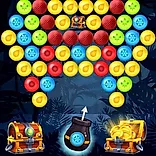
Bubble Shooter Golden Chests
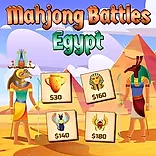
Mahjong Battles Egypt
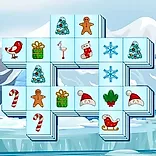
Xmas Triple Mahjong
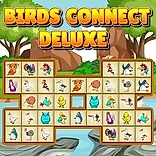
Birds Connect Deluxe
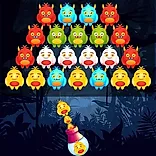
Monster Bubble Shooter
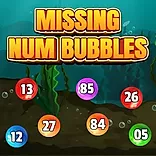
Missing Num Bubbles-2

Flowers Blocks Collapse

Caveman Jigsaw

Mahjong Jungle World
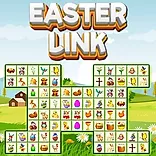
Easter Link
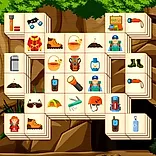
Hiking Mahjong

Mahjong Connect Deluxe
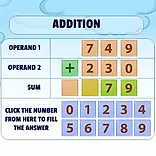
Addition Practice
Animals Memo Match

Bubble Shooter Fruits Wheel
Match The Shapes 1
Vegetable Cards Match
Toys Mahjong Connect
Space Memory
Bubbles Vs Blocks
Sea Life Mahjong
Teddy Blocks
Bubble Shooter Planets
Kids Cards Match
Color Break
Pushbox
Jewel Explode
Description
Get ready to be dazzled! Jewel Explode takes the timeless puzzle format and injects it with a fresh, vibrant energy that will keep you hooked. Forget everything you thought you knew about matching gems; this game offers a captivating twist that demands sharp thinking and strategic planning. Whether you're seeking quick thrills or engaging challenges to conquer during your downtime, Jewel Explode delivers an unforgettable experience right in your browser. As one of the most exciting free online games available today, it perfectly balances relaxation and mental stimulation. Looking for fun online games to play when bored? Look no further! This game’s stunning visuals, featuring radiant jewels and a polished, elegant design, promise an immersive journey that will challenge your mind and delight your senses. Prepare to ignite the board and discover a whole new level of puzzle perfection!
- Classic with a Twist: Experience the familiar thrill of match-3 mechanics reimagined with unique tactical elements.
- Turn-Based Strategy: Test your planning skills in a thought-provoking turn-based mode designed to challenge your intellect.
- Varied Gameplay: Enjoy numerous funny and surprising variations that keep each level feeling fresh and engaging.
- High Score Chase: Push your limits to complete all levels and compete for the ultimate high score.
Instructions
Game Rules:
- Rule 1: Match 3 or more coloured jewels, horizontally or vertically to create a chain of 3 or more.
- Rule 2: The more matches you make the higher the score and the better the power ups.
- Rule 3: Achieve the goals to complete all levels!
- Rule 4: Touch item to select in menu.
- Rule 5: Pause the game and access the in-game options by touching the pause icon on the bottom right of the screen.
Controls:
- Action: 2 or Navigation Key Up – Move cursor up / up in menu
- Action: 8 or Navigation Key Down – Move cursor down / down in menu
- Action: 4 or Navigation Key Left – Move cursor left / left in menu
{{{internal_link}}}
FAQ:
- Q: How do I select a jewel?
- Q: How do I get a hint?
- Q: How do I turn the sound on or off?
To select, tap the desired jewel and swipe in the direction you want to swap it.
Get a hint by touching the jewel icon on the bottom left of the screen.
Menu items description: 4. Sound on/off - turn on/off sounds.